Integrated shift planning for SAP SuccessFactors. Automated and industry-proven.

shyftplan and Personio: Powerful Integration for Maximum Control over HR Processes
To seamlessly connect our core — smart operational workforce planning — with central HR administration, we are a strategic partner of Personio. The integration ideally complements Personio’s all-in-one HR software.
- From hiring to scheduling: Seamless and central exchange of information between Personio’s HR management and shyftplan’s shift planning.
- Control and efficiency: Central management of highly complex HR processes reduces the need for improvisation and increases operational security in your production.
- With shyftplan and Personio, you actively shape change: Technical innovation, integration capability, and concrete operational certainty—for simpler, more efficient, and more human-centric workforce management.
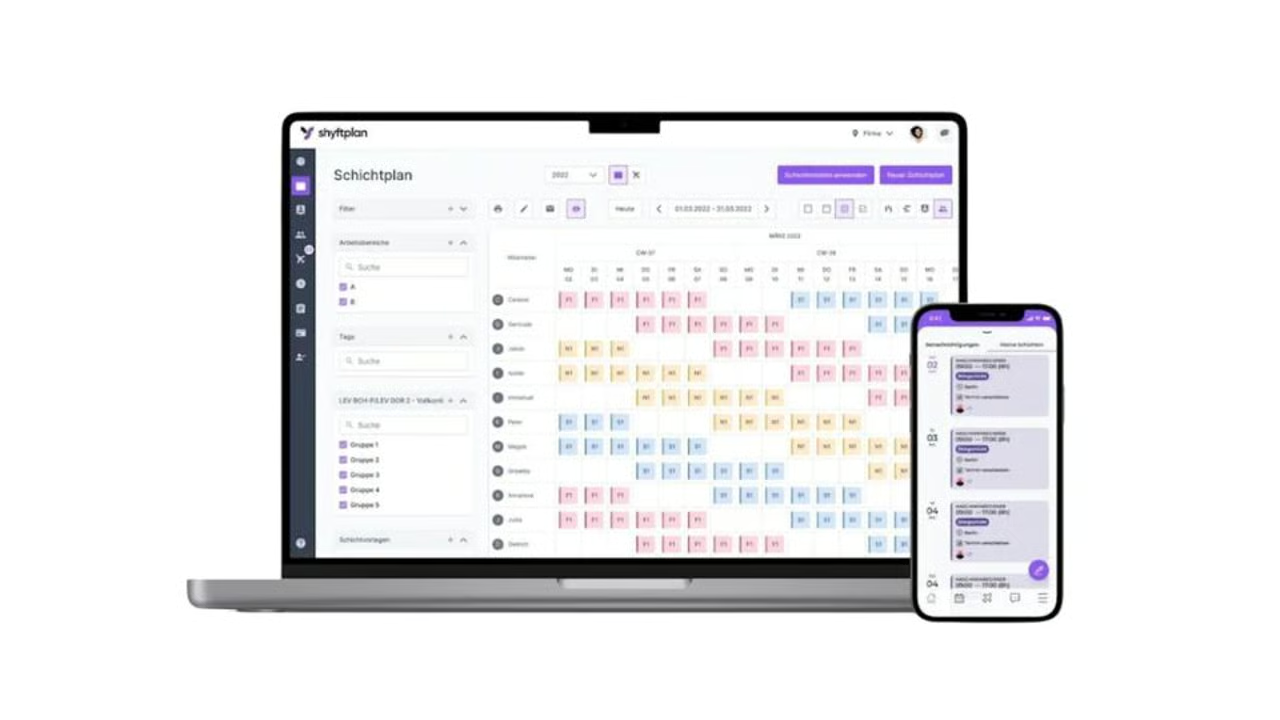
What is shyftplan?
shyftplan is an AI-supported workforce management platform for industrial companies. We automate shift planning and qualification management, integrate cleanly into existing SAP landscapes, and deliver measurable results: noticeably less planning effort, more stable staffing, higher employee satisfaction, and audit-proof compliance.
What possibilities does the Personio integration with shyftplan offer me?
User Provisioning (Transfer of Employee Data)
With the integration of Personio and shyftplan, newly created employees are automatically transferred to shyftplan in real time. Data integration minimizes duplicate data entry and harmonizes data sets across all systems. This also applies to users in onboarding.
Updating Employee Data
Updated employee data in Personio is automatically transferred to shyftplan in real time. This ensures that employee-relevant information is always up to date in all systems.
Time Tracking and Absence Management
Automatic synchronization of minute-by-minute attendance and absences, including break times for individual employees, takes place in real time from shyftplan to Personio. All employee information relevant to payroll accounting is automatically available in Personio.
1. Creating a Custom Attribute in Personio
- Log in to Personio as an Administrator and open Settings > Employee Information > Public Profile.
- Click the "Add attribute" button.
- The attribute name must be either "shift_worker" or "shift_planning".
- The attribute type must be either "List of options" or "General".
- For the "List of options" type, please create an option pair: either "yes" / "no" or "true" / "false".
- For the "General" type, these options must be entered as a text string.
Note: Regardless of the option chosen, only the field values "yes" or "true" will result in these employees being included in the synchronization with shyftplan.
2. Creating a Custom API Integration in Personio
- Log in to Personio as an Administrator and open Settings > Integrations > API Credentials.
- Click the "Create new credential" (or custom integration) button.
- Enter a name for the integration, e.g., "shyftplan Integration".
- Configure the integration's access rights according to these values:
- Employees→ Read
- Attendances → Read/Write
- Absences → Read/Write
- Webhooks → Read/Write
- Organizational Units → Read
- Legal Entities → Read
- Cost Centers → Read
- Positions → Read
5. For "Readable Employee Attributes", the following options must be selected:
- First name (official)
- Last name (official)
- Status
- Hire date (required if users in "Onboarding" status are to be synchronized)(required if users in "Onboarding" status are to be synchronised)
- Contract end date
- Termination date
- Last modified
- Sub-company (Legal Entity)
- Position
- Department
- Cost center
- Absence entitlement
- Work schedule
- Team
- Employee ID
- shift_worker
- Additional custom attributes for mapping with shyftplan (e.g., DATEV ID)
6. Copy the Client ID and Client Secret to a safe location.
- If this sensitive data is lost or compromised, it cannot be recovered and will need to be recreated.
- Note: Avoid storing sensitive data in unencrypted text documents or cloud-synchronised files. We recommend using a password manager to store this data securely.
Tip
For more information, see our article Generate and manage API credentials.
Completing the Setup in shyftplan
Setup is performed within the project together with a shyftplan Customer Support Manager. Send an email to service@shyftplan.com to contact shyftplan.
The following employee data is transferred from Personio to shyftplan:
- First name (official)
- Last name (official)
- Status
- Legal Entities, Department, Team
- Work schedule
- Employee ID
- Termination date
- Hire date
- shift_worker (Custom Attribute)
- Additional custom attributes
The shift_worker attribute is required. Only employees for whom this is set to “yes” or “true” will be transferred between the systems. The following applies: Employees with the status “active” are always transferred; you can select other statuses as required.
Optionally, a company created in shyftplan can be linked to a legal entity in Personio. This ensures that only the employees of that legal entity are transferred to this shyftplan account.
Pricing for shyftplan depends on specific requirements and users. For more information or to get in touch, visit the shyftplan website.
If you would like to learn more about the benefits of automated shift planning, the experts at shyftplan will be happy to help. Simply book a personal consultation or send an email to marketing@shyftplan.com.
If you need help with the integration, contact the shyftplan support team at service@shyftplan.com.